


|
Name |
aShell |
|---|---|
|
Google Play Link |
GET IT ON
Google Play
|
|
Category |
Tools |
|
Developer |
sunilpaulmathew |
| Last version | v0.30 |
|
Updated |
|
|
Compatible with |
Android 7.0+ |
Introduction to aShell APK
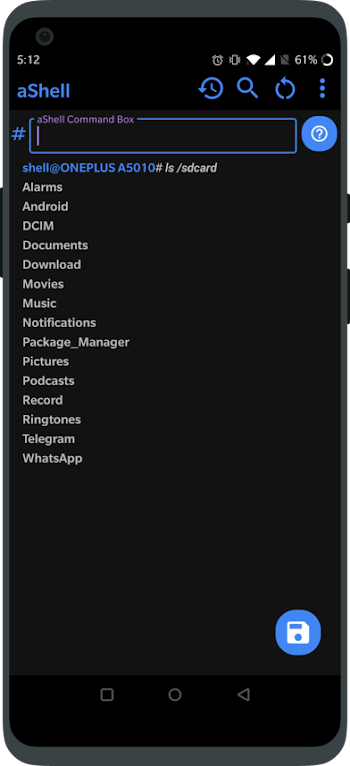
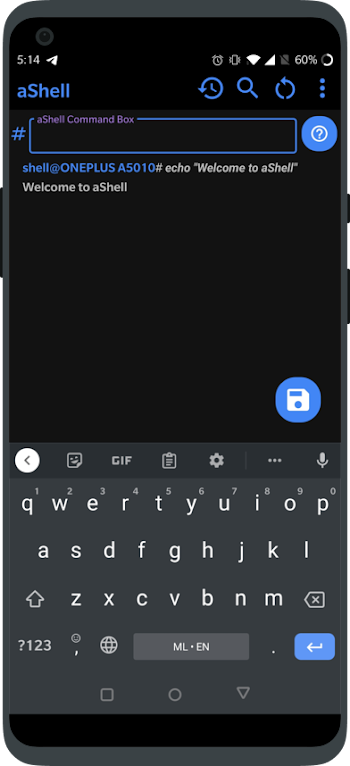
aShell is a utility tool app designed for Android devices, built specifically for users who want quick access to powerful system commands without needing a computer. It transforms your smartphone into a command-line interface where you can run ADB commands directly perfect for debugging, file management, and system tweaks.
This app is geared toward users who enjoy having complete control over their device’s inner workings. Developers and Android enthusiasts will find it especially helpful, thanks to its ability to handle tasks like retrieving logs, inspecting configurations, and modifying system behavior all from the palm of your hand.
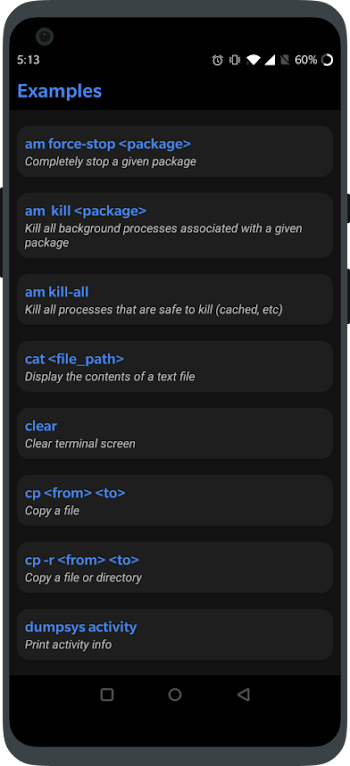
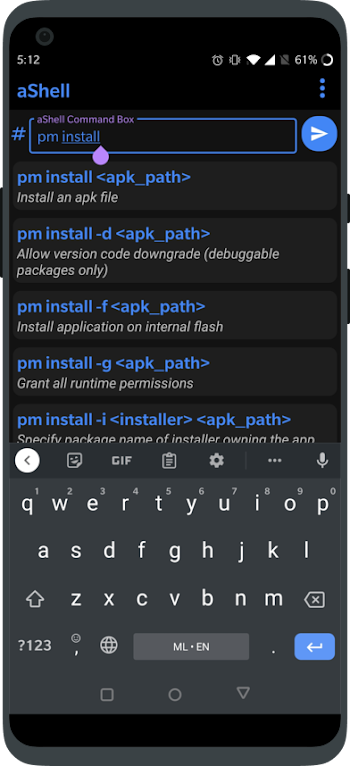
aShell simplifies many complex processes by offering preloaded command examples that users can apply instantly. So even if you're not a command-line wizard, you can still get things done without memorizing long strings of code. Whether you're managing system files or checking on background performance, the app keeps things efficient.
The interface is clean and responsive, supporting both dark and light modes. It’s tailored for a smooth mobile experience, with real-time output handling that makes ongoing monitoring like using logcat or checking memory stats feel less overwhelming.
You can also save outputs as text files for later review or use the built-in search to locate specific logs quickly. This makes it incredibly handy for troubleshooting or ongoing diagnostics where you need to trace errors or review previous outputs.
However, aShell requires Shizuku to function, which might feel like a hurdle for first-time users unfamiliar with privilege management tools. Also, if you're totally new to ADB, there’s a bit of a learning curve despite the built-in help.
aShell is ideal for Android developers, testers, and advanced users who regularly tweak or monitor system behavior. It’s most useful when mobility and quick access are more important than a traditional desktop setup.
FAQs aShell
What is aShell?
+
aShell is an Android utility app that lets users run ADB commands directly from their smartphones without needing a computer.
How do I use aShell on my phone?
+
Install aShell, connect it with Shizuku, then start executing ADB commands or use the built-in examples to perform system tasks easily.
Is aShell suitable for beginners?
+
It includes preloaded commands to help beginners, but having some knowledge of ADB or command-line basics will definitely make it easier to use.
Why does aShell require Shizuku?
+
aShell needs elevated permissions to run certain ADB commands, and Shizuku provides those privileges safely without rooting your device.
Can I save and review my command outputs in aShell?
+
Yes, the app allows you to save outputs as text files and includes a search feature to help you find specific logs or command results later.
Discover More Interesting Apps
-
 Mod
Mod
DiskWala
v27.1
125.02 Mb
Updated -
Neon App
v2.15.0
117.15 Mb
Updated -
Mod
LTE Discovery
v7.6.32
26.71 Mb
Updated -
TikFinity
v2.7.5
95.54 Mb
Updated -
Mod
yw player
v1.4.4
24.03 Mb
Updated -
Screen Mirroring App
v2.1
28.89 Mb
Updated -
Mod
Ad Blocker
v7.6.17
39.00 Mb
Updated -
Mod
Nzb360
v25.2.2
14.39 Mb
Updated -
Soren VPN
v3.0
48.78 Mb
Updated -
VPN.lat
v3.9.63
40.90 Mb
Updated










Share Your Thoughts